AI-Native Design at Sprout Social
Using AI in both what I build and how I build it, across two new Social Listening features and the AI-powered prototyping workflow behind them.
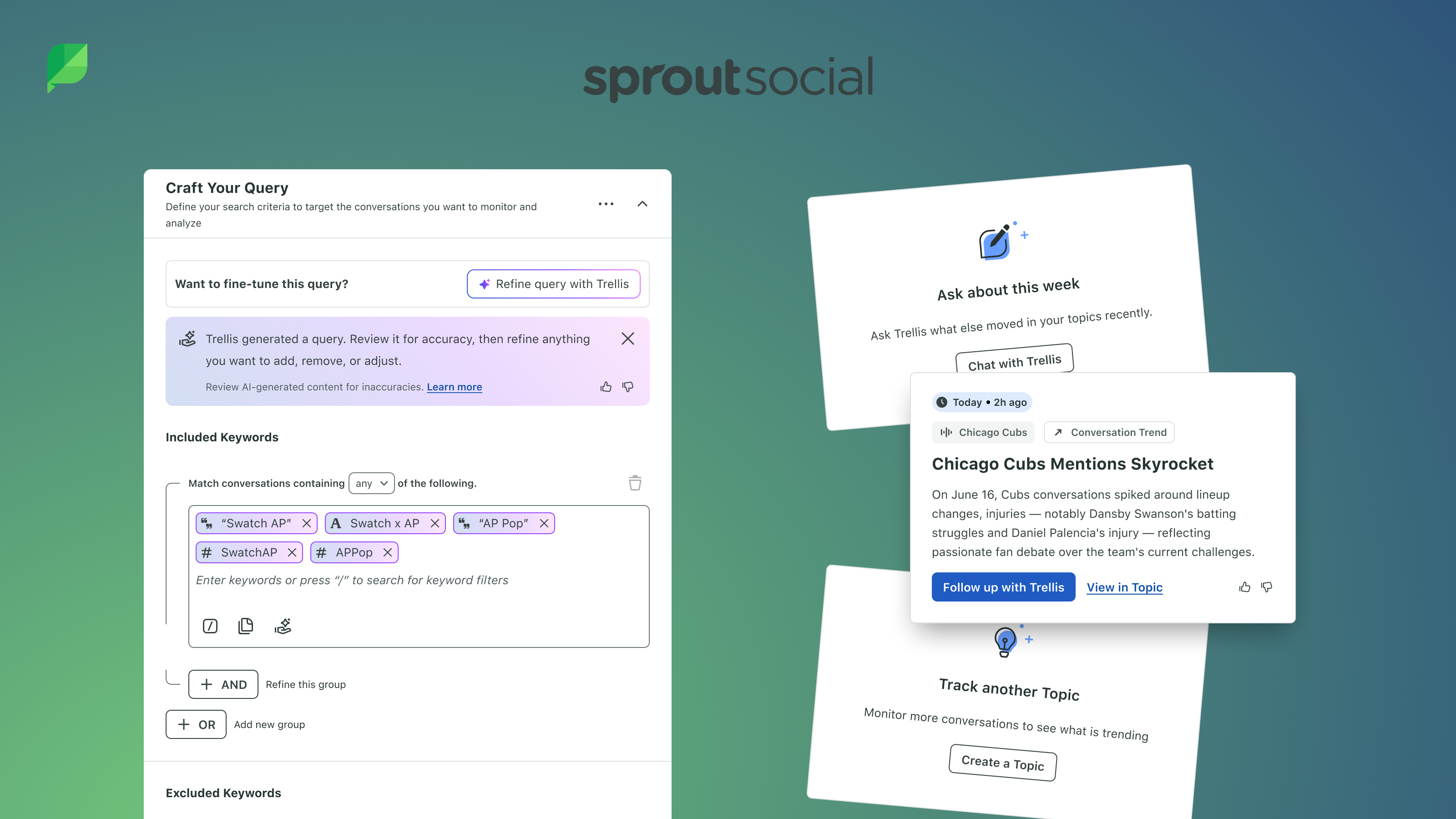
TL;DR The 60-second version
This case study covers three pieces of work. If you just want the highlights, here's the short version.
- AI in what I build — This year I designed two AI-forward features for Sprout's Social Listening product, both focused on getting people to the value of Listening faster.
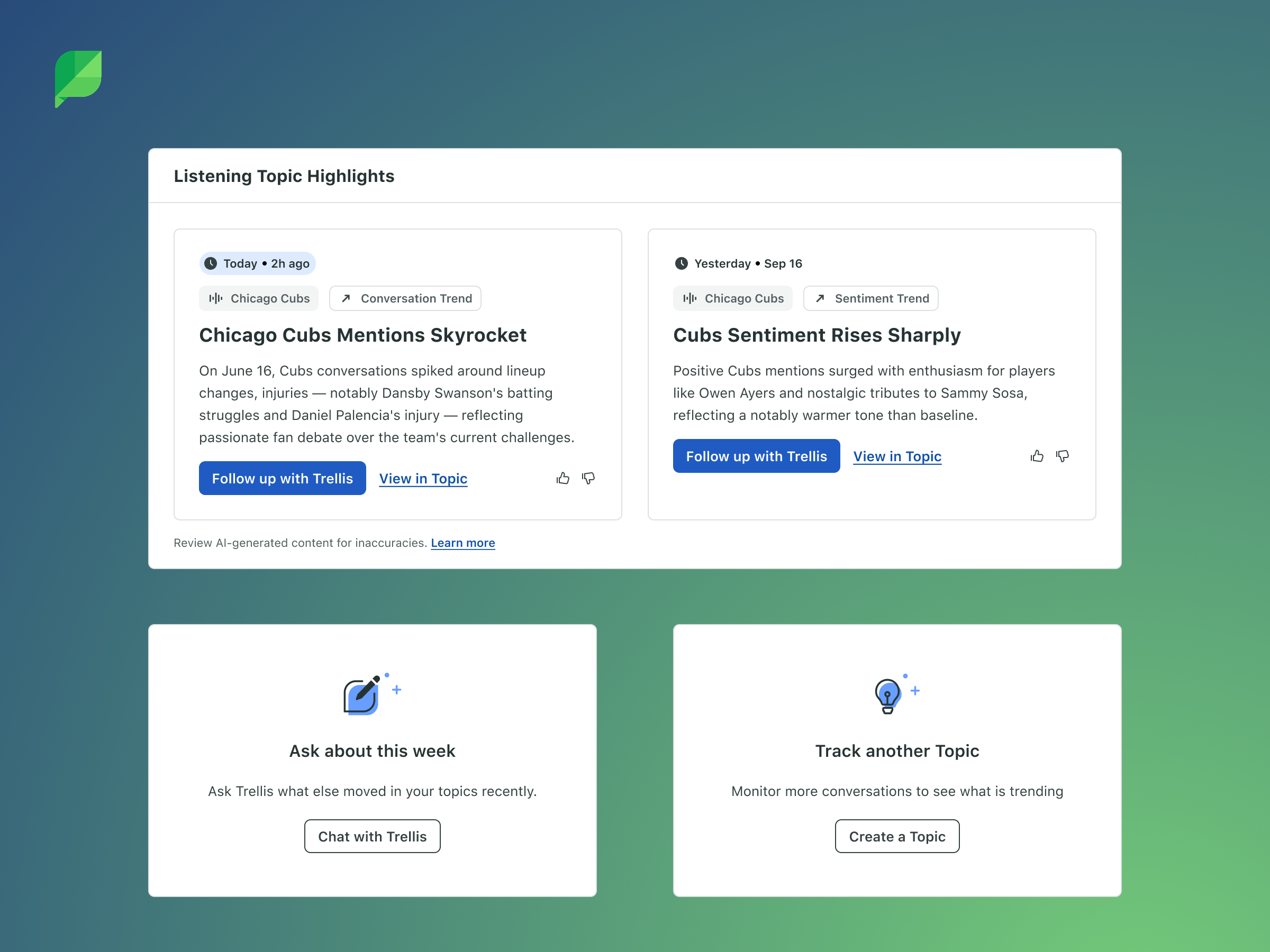
- Topic Highlights — Instead of making people dig through dashboards, the product surfaces short, opinionated AI summaries of what changed in a topic and why. Capped at three a day, so it never becomes another source of noise.
- Text-to-Query — People describe what they want to track in plain language and get a working topic, instead of spending hours or days on Boolean trial and error. It launched to all customers in September 2026.
- Built for trust — Both features have guardrails for quality and privacy, from highlights that don't invent causes to an AI that never sees customer social data.
- AI in how I build — I prototyped both features in the Web Design Playground, using Claude Code to build working, shareable prototypes with Sprout's real components, without needing engineering to set them up.
Want the full story? Keep reading.
Overview
AI shows up in my work in two ways. It's in what I build: features that let AI do the heavy lifting, so customers spend less time hunting through data and more time acting on it. And it's in how I build: an AI-powered prototyping workflow that lets me turn ideas into working, realistic experiences quickly.
This case study covers both. Topic Highlights and Text-to-Query are two AI-forward features I designed with the Listening team this year. The Web Design Playground is the internal tool I used to prototype them.
Listening Topic Highlights
The Problem We Were Trying to Solve
When customers open a Listening topic, they're really asking one question: "Is anything important happening that I need to know about?" But the product only gave them raw data and charts. To answer that question, users had to scan widgets, dig through posts, and piece together on their own what had changed and why it mattered.
The problem is that there is way too much listening data to review every day, and the people who stand to gain the most from these insights (comms leads, brand executives, content strategists) don't have time to navigate an overwhelming dashboard. The value is there, but it's buried behind a level of effort that isn't sustainable for most.
Topic Highlights was our answer to that gap. Instead of making people hunt for meaning, we wanted the product to do the interpreting for them, surfacing short, opinionated summaries of what's happening and why, right where they already work.
How We Went About It
We took a scrappy, test-and-learn approach. Rather than trying to build the perfect version up front, we set an ambitious deadline, a demo for our Board of Directors in July, and used it to push us toward a working version quickly. That let us validate whether a narrative-style highlight card resonated with users before investing further.
Behind the scenes, each highlight comes together in three stages:
Detect: The system looks for unusual activity by comparing each topic's recent conversation against a typical week, flagging meaningful jumps in volume, shifts in sentiment, or spikes in particular keywords or themes.
Interpret: AI reviews the most engaging posts tied to that change and writes a short headline and summary explaining what's driving it. Importantly, it can also decide a signal isn't interesting enough to show, so users don't see noise.
Deliver: The finished highlight is packaged up and delivered to the dashboard.
From a design standpoint, restraint was a big part of the experience. We didn't want to trade one overwhelming experience for another, so we cap highlights at three per day, with no more than one per topic. When there's competition for those spots, the biggest shifts in overall volume or sentiment win out over narrower keyword or theme spikes.
We also made sure each highlight was a starting point rather than a dead end. Every card offers two clear next steps. "Follow up with Trellis" opens a conversation with our AI assistant that already knows the context of the highlight, so users can ask questions right away. "View in Topic" takes them directly into the relevant part of the topic, with the right date range already applied and the page scrolled to the chart that tells the story, so there's no hunting around to find what the card was talking about.
Finally, because we were asking users to trust the product's interpretation, quality was essential. We put checks in place to make sure each highlight stays focused on the right topic, reflects what the posts actually say without inventing causes, genuinely explains why something changed rather than just restating numbers, and avoids generic keywords or biased language on sensitive subjects.
Listening Text-to-Query
The Problem We Were Trying to Solve
Every Listening journey starts with creating a topic, which tells the product what conversations to track. That first step is the front door of Listening, and for a lot of users it was where things fell apart.
Building a topic traditionally meant understanding Boolean logic and thinking through every synonym, hashtag, and term to exclude. Most users aren't query experts, and they shouldn't have to be. Getting a topic right often took hours or even days of trial and error, and many new users gave up during their trial or onboarding before they ever saw what Listening could do for them.
Those who pushed through often leaned heavily on our Professional Services and Solutions Engineering teams to write and troubleshoot queries for them. That slowed customers down, limited their independence, and put a strain on our internal teams.
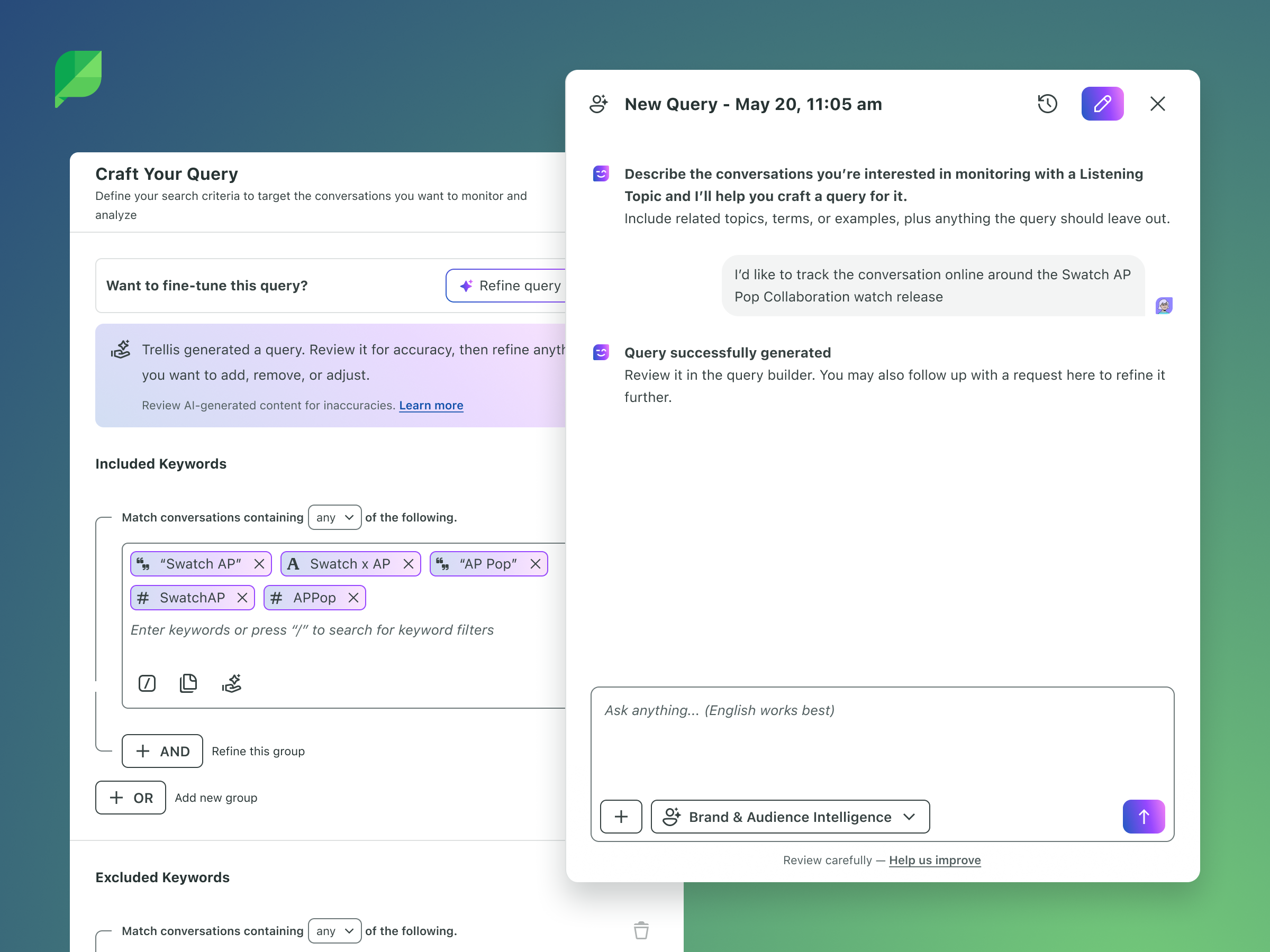
Our goal with Text-to-Query was simple: let people describe what they want to track in plain language, like "I want to track public conversation about our sustainability initiative," and turn that into a working topic in seconds. Solving this at the very start of the journey was also a necessary foundation for Sprout's broader vision of a more conversational, AI-driven product.
How We Went About It
We took a test-and-learn approach. Because the quality of a query directly shapes how relevant or noisy a user's data will be, we knew we'd need real-world feedback to get it right. Our internal teams, including Solutions Engineering, Social Media, and Professional Services, tried early versions first. From there we rolled it out gradually to small beta groups, paying close attention to where the results were noisy and how people edited the queries we generated.
Along the way, we put guardrails in place so the generated queries always fit within the product's existing limits and structure. We also made a deliberate privacy choice: the AI only ever sees what the user types and the keywords being built, never any of the customer's social data.
We built the experience in three stages, each one expanding what users could do.
Generate: The first stage added a "Help me generate a query" option when creating a new topic. Users could describe what they wanted in their own words, and the product would organize it into keyword groups and fill in the form for them.
Refine: The second stage let users refine existing topics the same way, with requests like "also exclude spam and sweepstakes." Before any changes were saved, we showed a preview with the AI's suggested terms highlighted, so users could see exactly what would change and stay in control of their topic.
Converse: The third stage, which launched to all customers in September 2026, replaced the one-off pop-up with an ongoing conversation with Trellis, our AI assistant, right alongside the query builder. Users can now chat back and forth, ask for suggestions, look at their results, and adjust their topic as they go, making topic creation feel less like filling out a form and more like working with a collaborator.
To keep quality high, we tested the generated queries against a wide range of example requests across industries like software, retail, healthcare, and crisis communications. After launch, we've continued to watch signals like how often users edit or delete generated queries and how often they report noisy results, and we use that to keep improving the experience.
How I build it
The Web Design Playground
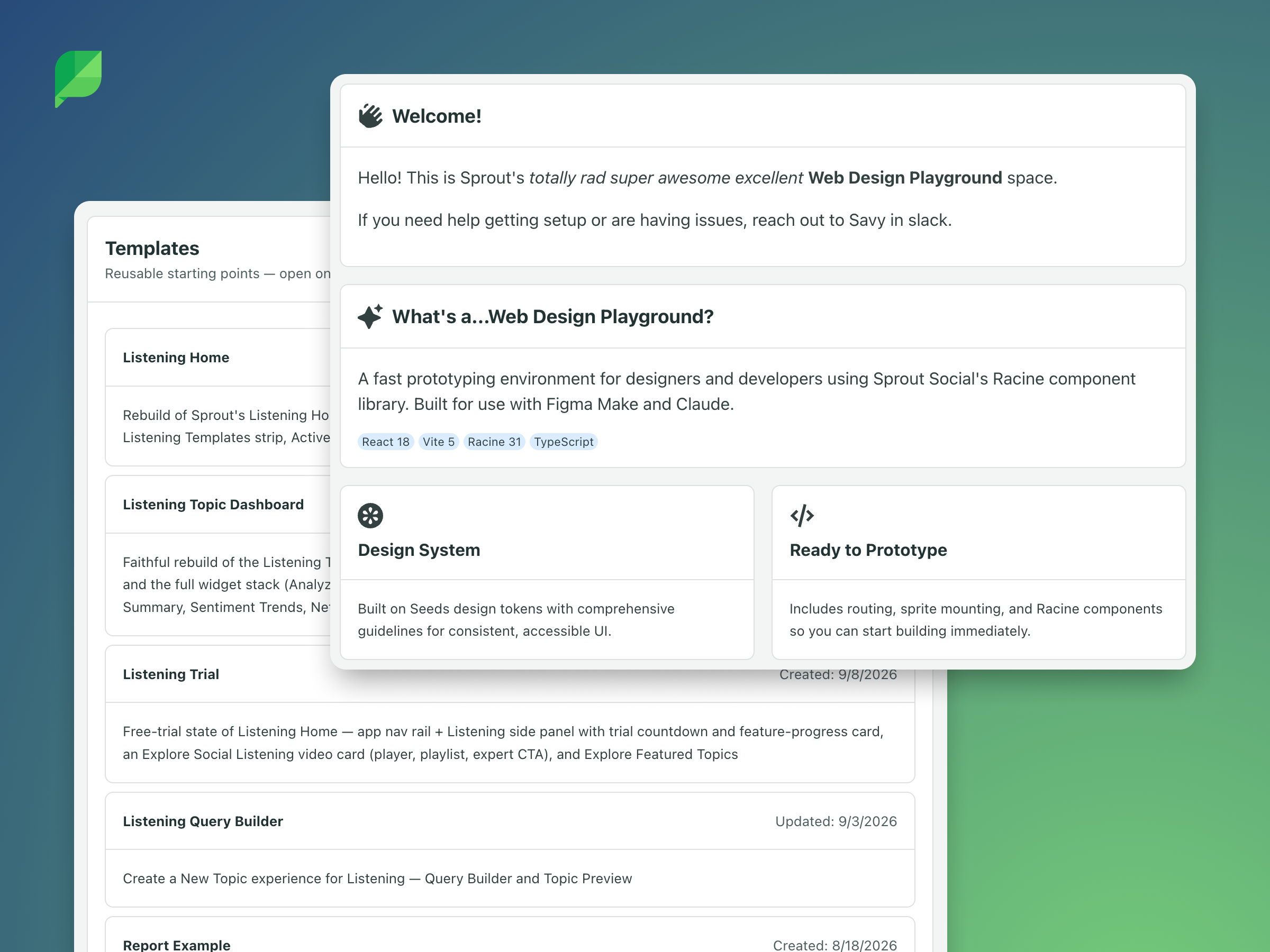
The Web Design Playground is an internal space where designers and product managers can build working, interactive prototypes using the same components and design system as the real Sprout product. With the help of AI coding tools like Claude Code, I can create prototypes that look and behave like the actual product, without needing engineering support to set them up. Each prototype gets its own shareable link, which makes it easy to put in front of stakeholders, teammates, or customers.
How I Used It for Topic Highlights and Text-to-Query
For Topic Highlights, the playground let me build the highlight cards and their follow-up actions as a working experience rather than a series of static screens. I could show what happens when a user clicks "Follow up with Trellis" and the conversation opens with context already loaded, or when "View in Topic" takes them straight to the right chart. Having a realistic, clickable version made it much easier to communicate the vision and gather feedback quickly.
For Text-to-Query, the experience depended on back-and-forth interaction that's hard to capture in mockups: typing a request in plain language, seeing suggested terms highlighted before saving, and eventually chatting with Trellis alongside the query builder. Prototyping these flows in the playground let me test how the conversation and the query builder worked together, and refine the experience as it evolved across each stage of the rollout.
Across both features, working in real components also helped me catch layout issues and edge cases early, so engineering started with a clearer picture of what we were building and fewer surprises during development.
Reflection
Building Topic Highlights and Text-to-Query meant thoughtfully placing guardrails around the AI, focusing on empowering and protecting the user, and making the output useful rather than noisy. Prototyping with AI meant I could iterate on versions quickly, create something interactive and responsive, and hand engineering a clearer picture of what we were building.